Play it once.
Read it on paper.
Record a phrase or drop in a file and get sheet music for piano, cello, guitar or voice. Fix the notes, then export MIDI, PDF or MusicXML.
- No account needed to try
- Clips up to 30 seconds are free
Hear it, then see it
Drop a clip, record, or paste a link up to 30 seconds. The score shows up right here.
Drop an audio file here
MP3, WAV, M4A or OGG. Longer files are cut to the first 30 seconds.
The preview is view only. Sign up to edit, export and save it.
From a take to a score in under a minute
- 1
Record or add audio
Play with the click, drop a file, or paste a link to a public track.
- 2
We transcribe it
The AI model picks out the notes, the rhythm and the key.
- 3
Fix and export
Tidy the score, then export MIDI, PDF or MusicXML.
Five clicks from a recording to a MIDI file
A real session with a nine-second melody. Click the glowing spot to go to the next step.
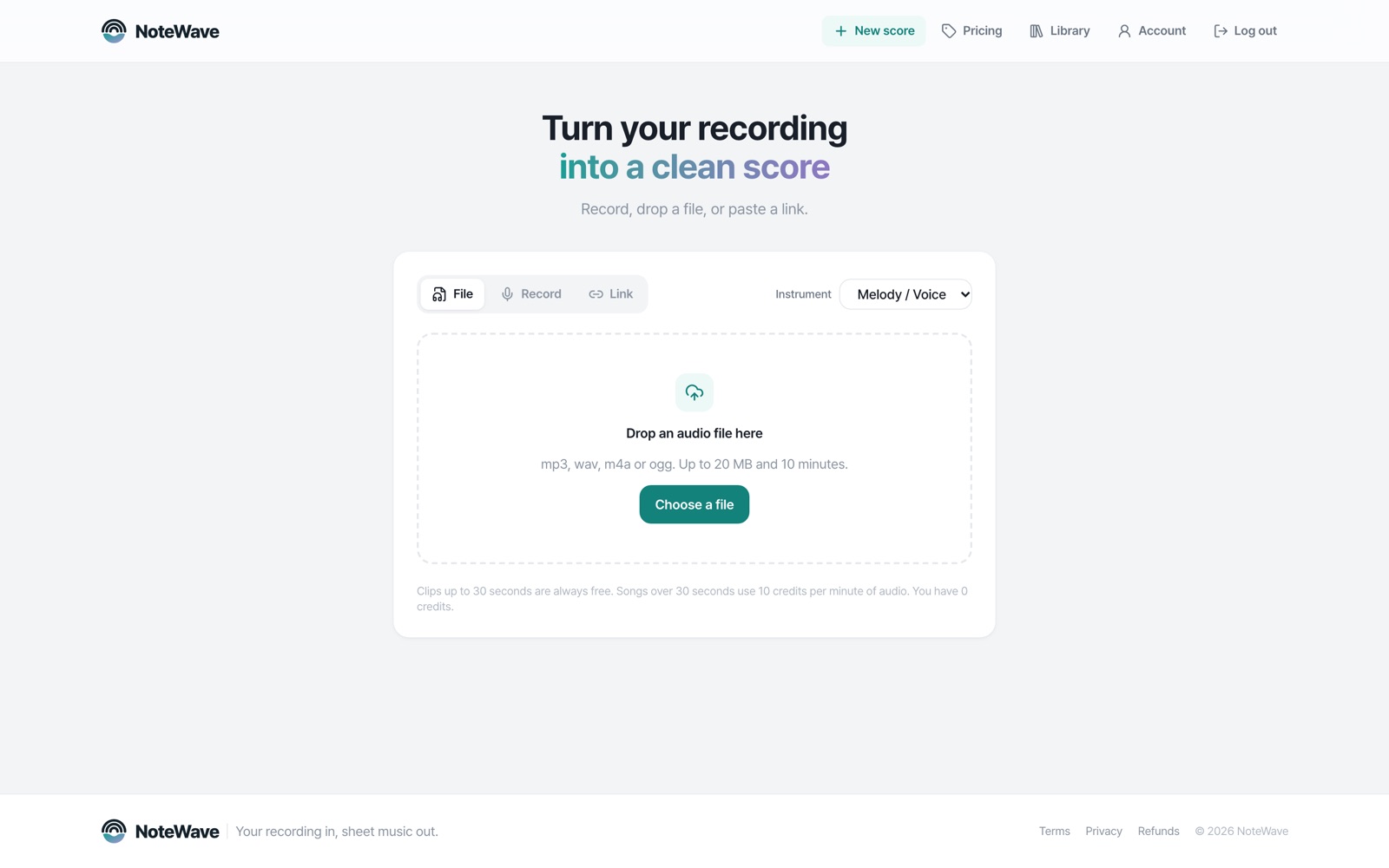 Choose a file
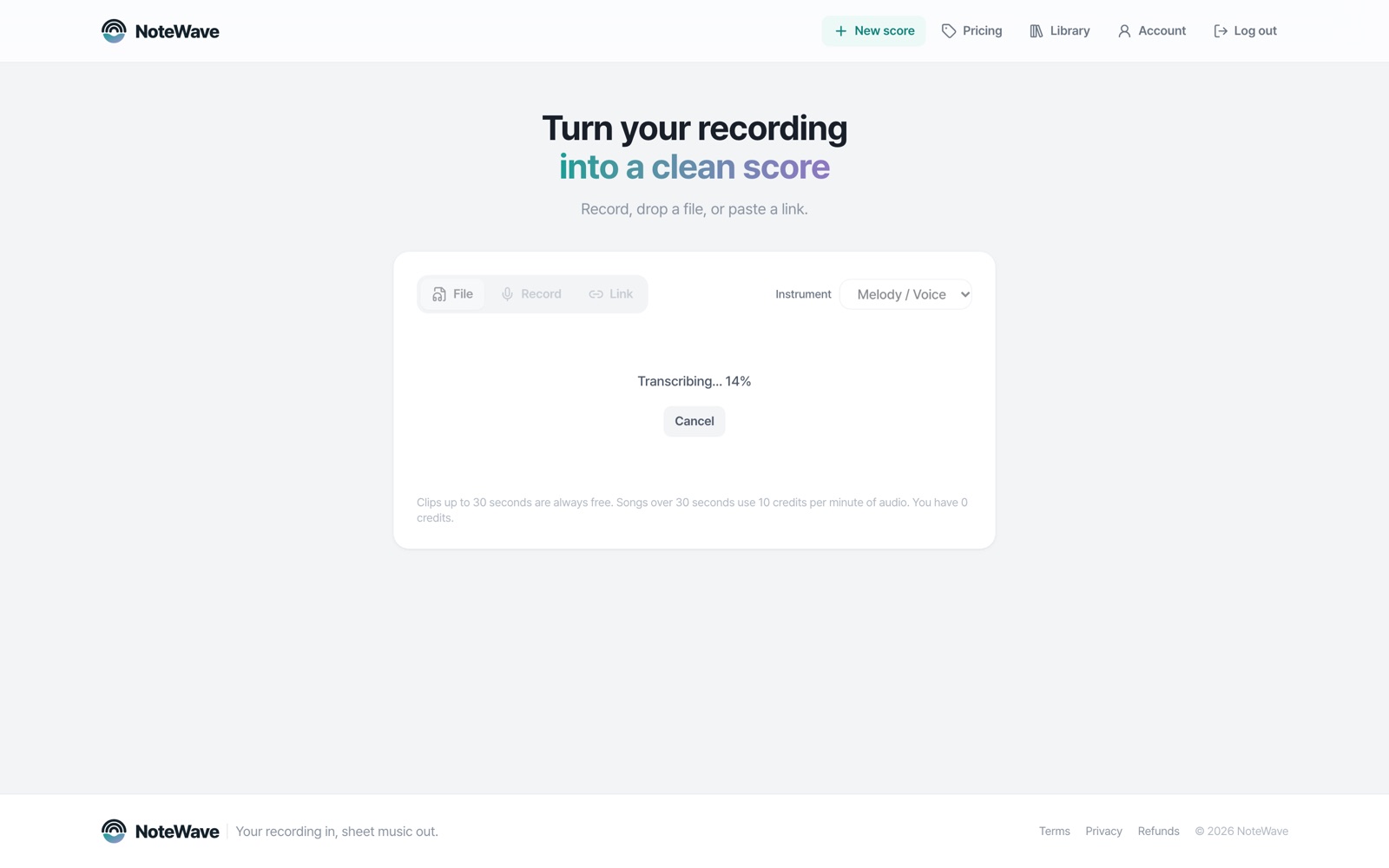
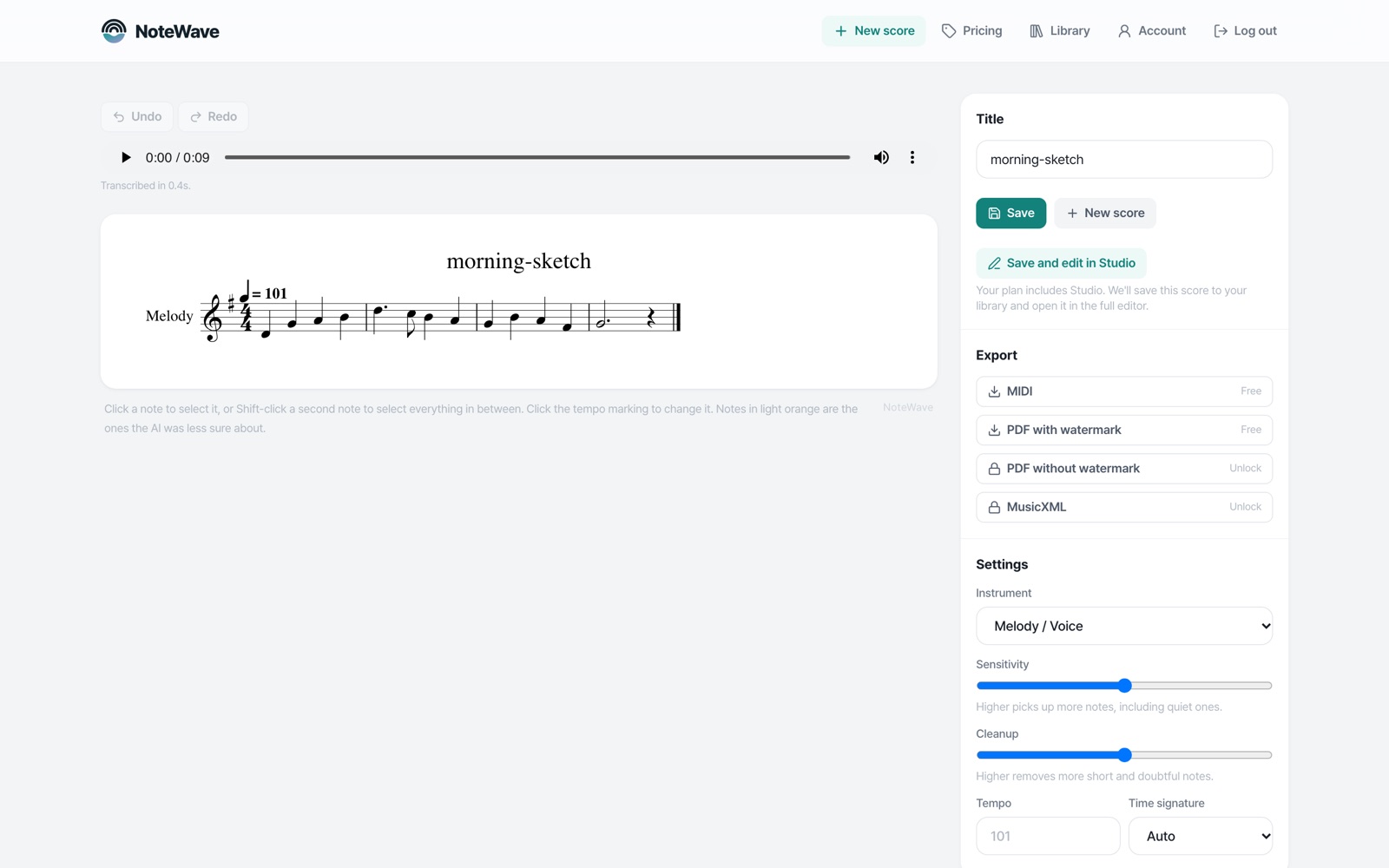
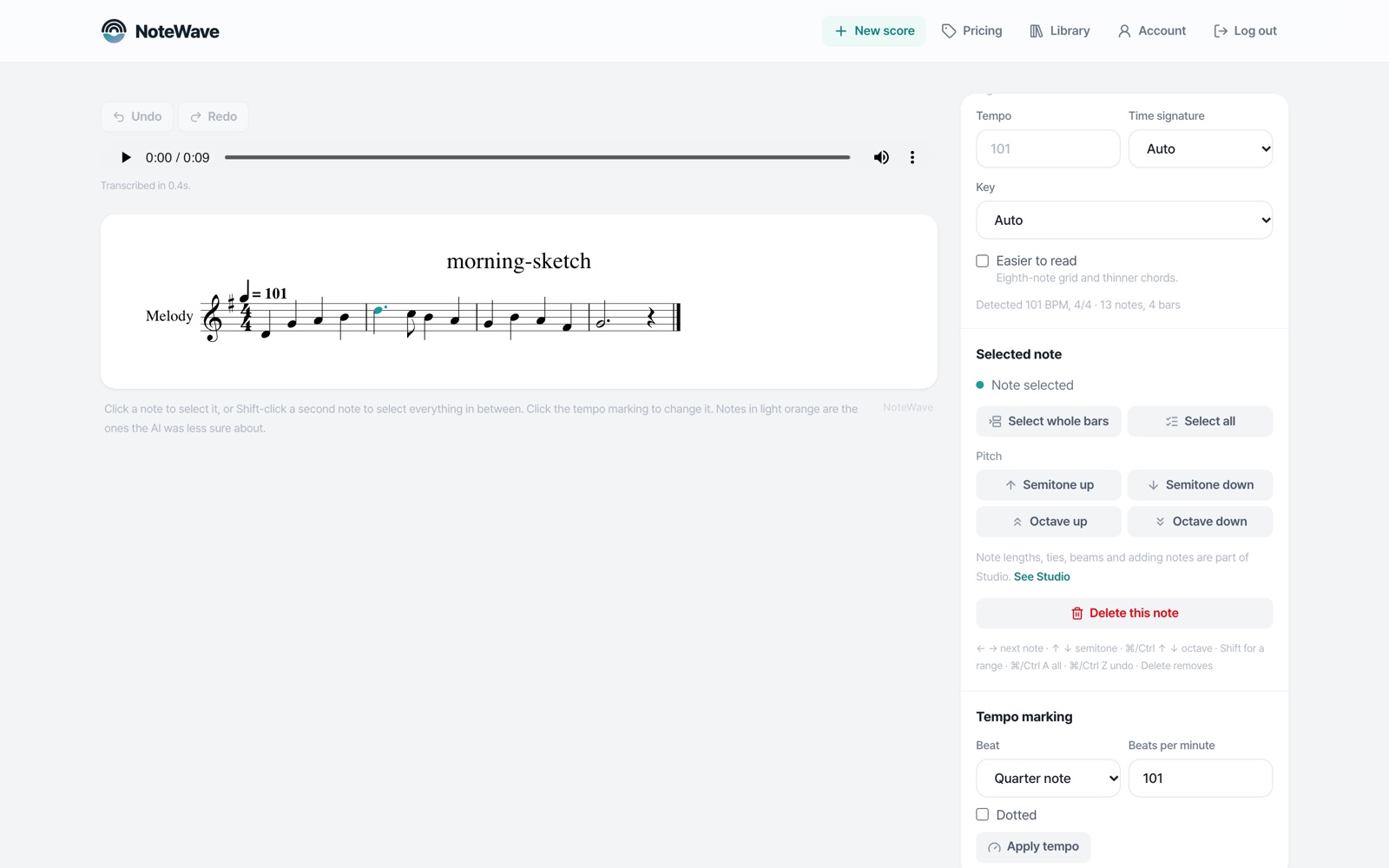
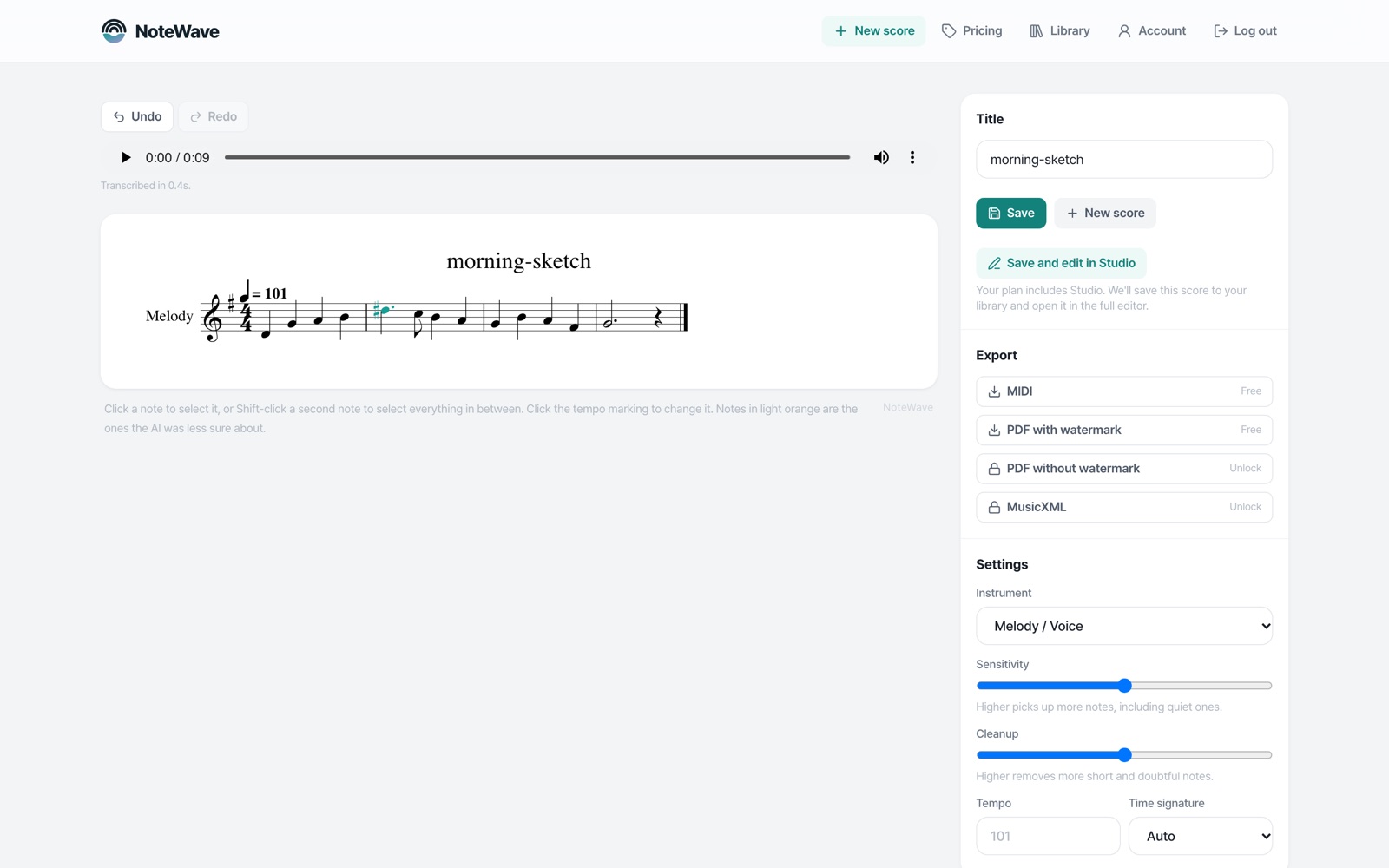
Drop in a recording of your playing.
Built for players who write things down
Solo instruments, read cleanly
Piano, cello, guitar and single melody lines, written on a grid a player can read.
Record with a click
Tell us the tempo, meter and key before you play and the rhythm comes out right.
Free to start
Clips up to 30 seconds are unlimited. Songs up to 3 minutes, 10 a month.
Take it anywhere
Open the score in your notation app or DAW as MusicXML or MIDI, or print it as a PDF.
Your next idea deserves more than a voice memo
Clips up to 30 seconds are always free, plus 10 songs a month up to 3 minutes. Longer songs use credits.